Traffic Area
Traffic Area is used for restricted traffic areas with an order of entry and exit.
- Use-case examples:
To enter a petrol station.
Used for large parking areas.
How To Create
Create an empty GameObject and add TrafficAreaAuthoring component
Set the Button select type to Select node value.
Enable the Show scene nodes option to see the traffic nodes in the scene.
Set New node type to Default value.
Select Default nodes in the scene.
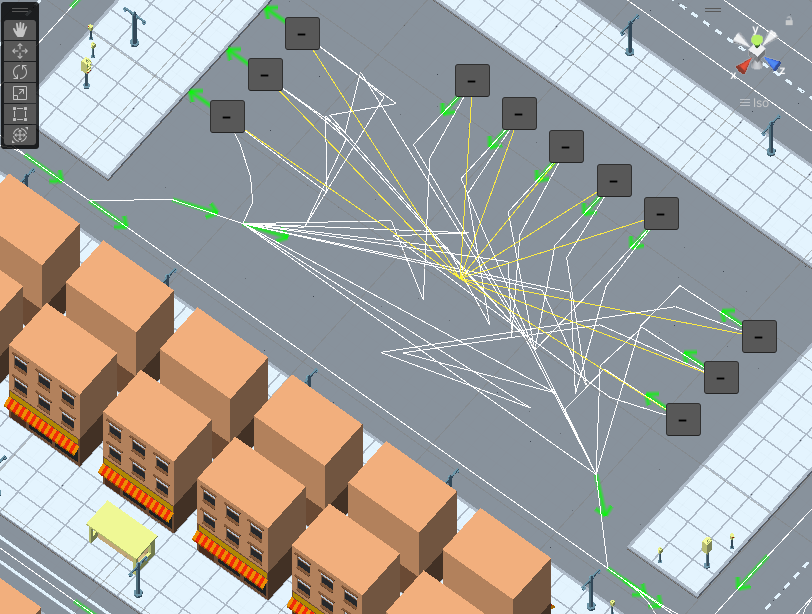
Selected Default nodes example.
In the same way, select the Queue node in the scene.
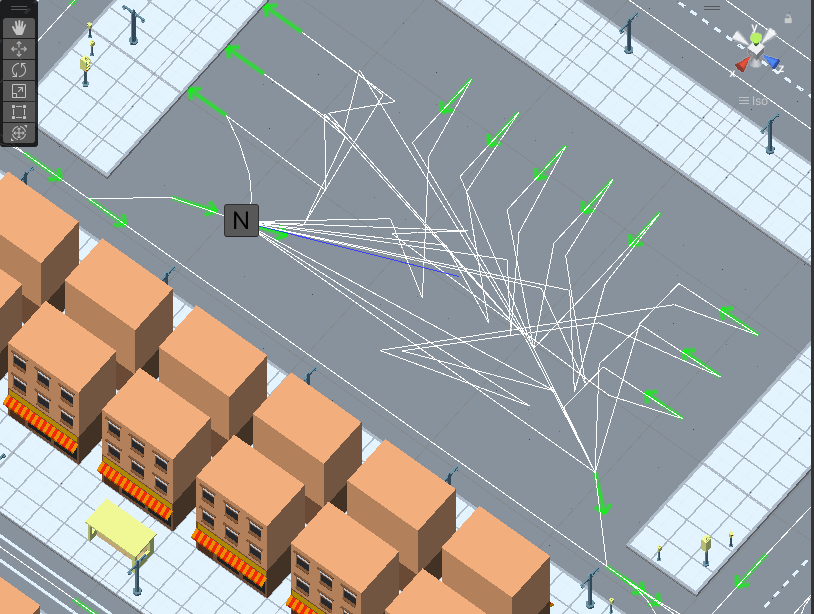
Selected Queue node example.
Select Enter node in the scene.
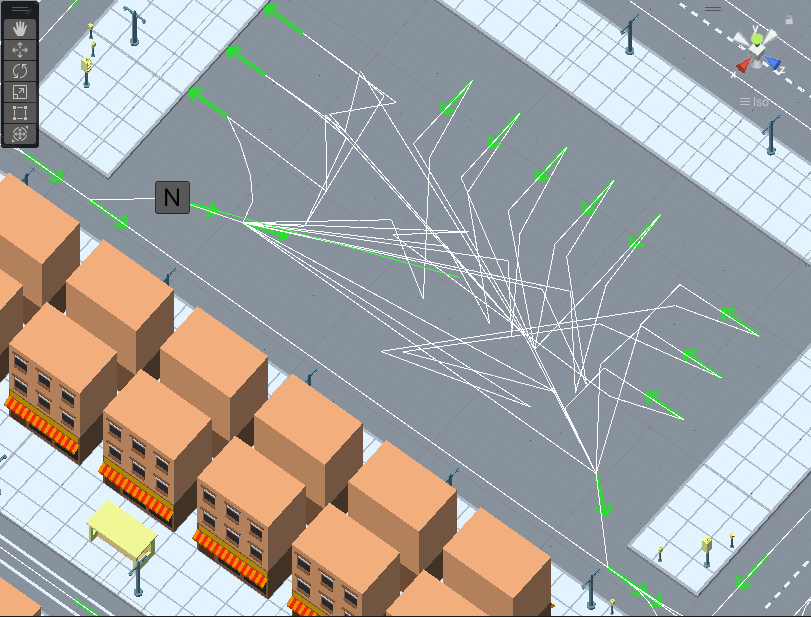
Selected Enter node example.
Select Exit node in the scene.
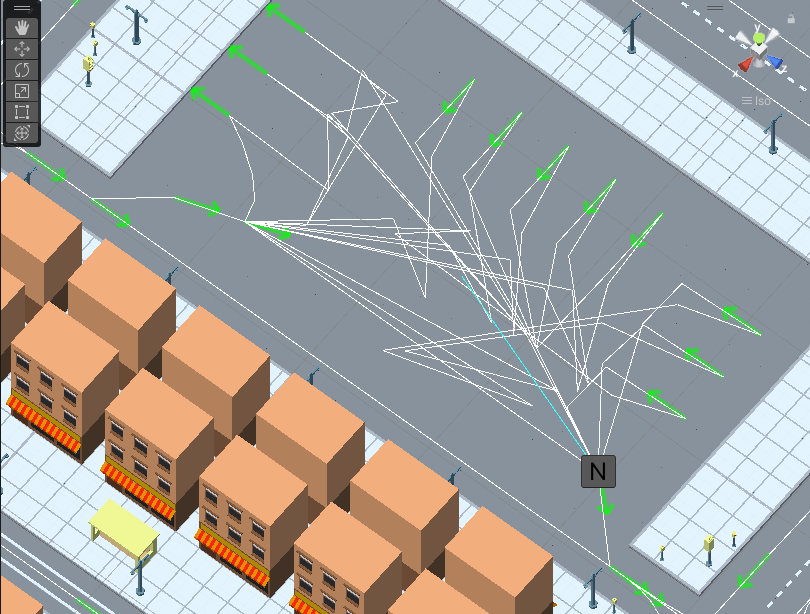
Selected Exit node example.
Adjust the Max queue count depending on how many cars can fit in the queue without blocking other cars.
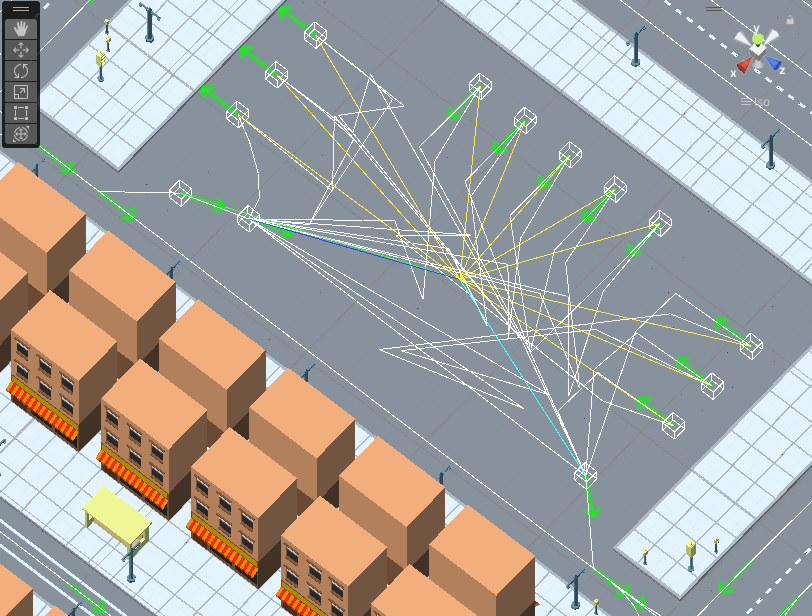
TrafficArea result example (parking created by ParkingBuilder ).
Settings
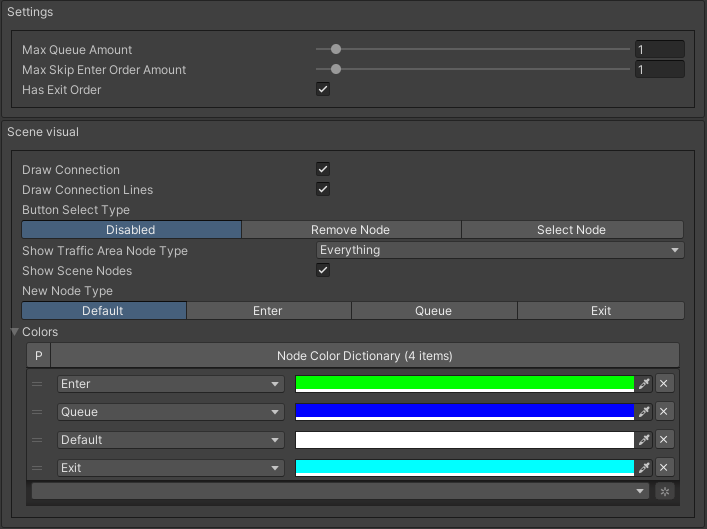
Settings
Scene visual
- Button select type:
Disabled
Remove node : selected node will be removed from TrafficArea.
Select node : selected node will be added to TrafficArea with the select New node type.
Node type
Default : a node which is included in the TrafficArea but does not belong to one of the types listed below.
Enter : entrance node to the TrafficArea (if the maximum number of vehicles in the queue is exceeded, the node will be closed).
Queue : node in front of which a line of cars is waiting.
Exit : when it passes this node, the car leaves the TrafficArea.