Traffic Public Route

Defined public route for public transport.

How To Create

  1. Create necessary road segments.

  2. Connect the created segments by paths.

  3. Create an empty GameObject and add the TrafficPublicRoute component.

  4. Enable the Show path selection buttons option.

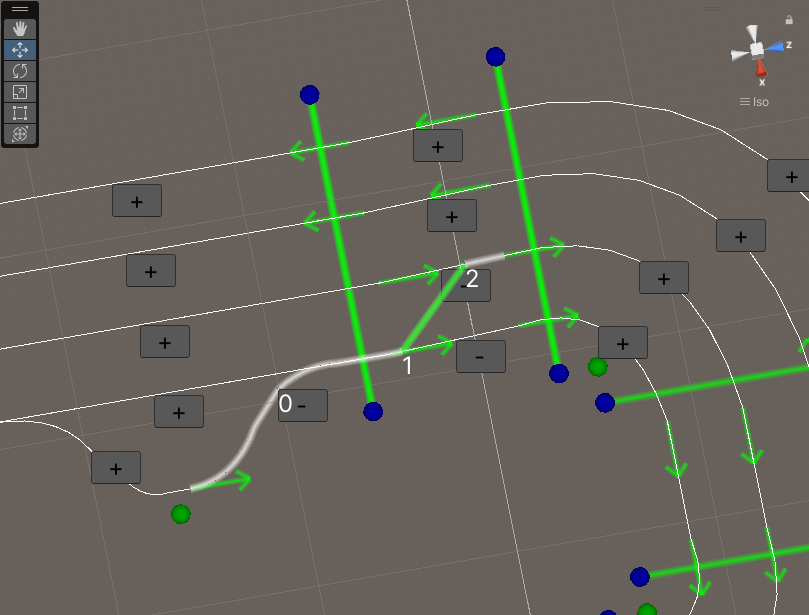
  5. Sequentially select each path of the route (also you make a lane change).

    _images/PublicRouteExample2.png

    Selection route example.

  6. Customize Route settings.

  7. Make sure you have created at least one compatible (matching TrafficPublicType and Car model) TrafficPublic vehicle.

Transition Info

Transition paths are used for transition between lanes of public transport.

How To Create

  1. Select source path.

    _images/PublicRouteTransitionExample1.png
  2. Select a neighbouring path.

    _images/PublicRouteTransitionExample2.png
  3. Customize Transition settings.

    _images/PublicRouteTransitionExample4.png

    Transition result example.

Component

_images/PublicRouteSettings.png

Route settings

Vehicle data collection : reference to the vehicle collection.
Max vehicle count : maximum number of vehicles on the route.
Preferred interval distance : preferred distance between public transport vehicles.
Ignore camera : if the camera is ignored, public transport can be spawned in view of the camera.
Traffic public type :
  • Bus : for the default path.

  • Tram : for the rail path (rail movement enabled by default).

Car model : car model of the public transport vehicle that will be spawned on the route.

Transition settings

Source offset : offset start point of transition in source path.
Target offset : offset end point of transition in target path.
Distance between parallel nodes : max distance between traffic nodes to find a transition path.

Scene settings

Highlight route : highlight added paths of route.
Show path selection buttons : on/off display add buttons paths to route.
Show swap buttons : show swap buttons for transitions.
Show only related nodes : only nodes that are neighbours of nodes that have already been added will be displayed.

Route data

Traffic node route data : internal related traffic nodes route data.
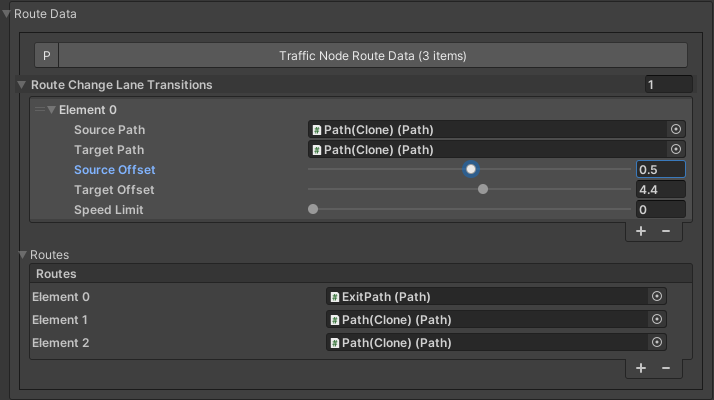
Route change lane transitions : transition data.
Routes : sequence of paths on the route.
_images/PublicRouteTransitionExample3.png

Transition data example.

Buttons

Update transitions
Clear route
Refresh related nodes