Traffic Public
Traffic vehicles following public transport routes and picking up passengers at stop station nodes.
How To Create
Create a vehicle by following these steps.
Set traffic group to Public Transport in the TrafficCarEntityAuthoring component.
Add TrafficPublicAuthoring and CarCapacity to the created vehicle.
Tick on Predefined Road if public transport is to be routed via TrafficPublicRoute. [Optional step]
Create an empty child GameObject, add the VehicleEntryAuthoring component and assign it to the CarCapacity component.
Position the created Entry GameObject where the pedestrian entrances/exits will be.
Create the TrafficPublicRoute entity and set the CarModel according to created public transport vehicle. [Optional step]
Components
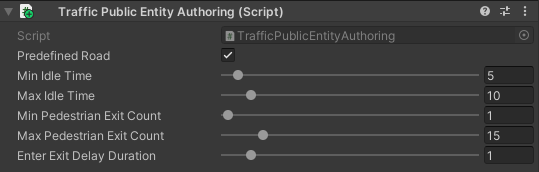
TrafficPublicAuthoring
Authoring component that contains settings for public transport.
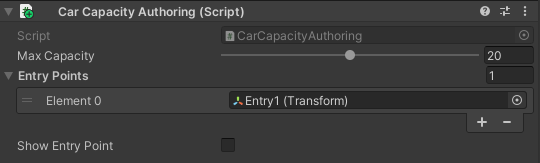
Car capacity authoring
Authoring component that contains capacity settings of the vehicle.
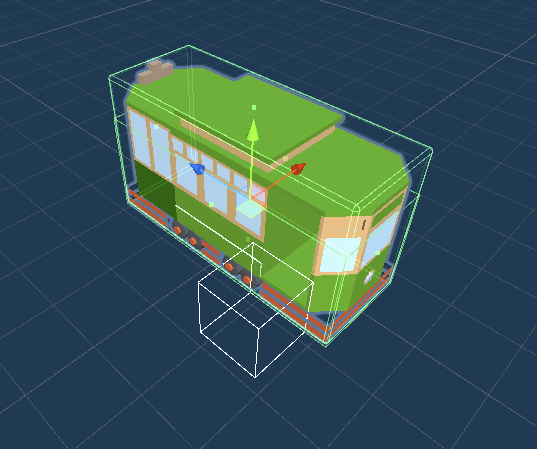
Public tram example (white box - entry point).
Note
At the moment the component is only used for TrafficPublic vehicles.