City Creation
New Scene
Create new scene.
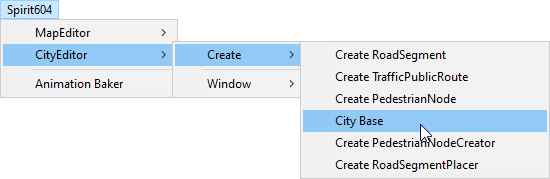
In the Unity toolbar open:
Spirit604/CityEditor/Create/City Base
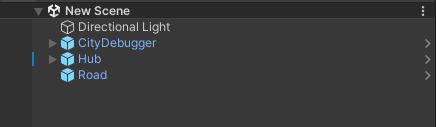
Initial scene example:
Create a road for traffic.
Generate a subscene.
Create traffic vehicles.
Add & customize game sounds.
Demo Scene
In the Project Folder view, select the following scene:
DotsCity/Scenes/Demo
Press Play button.
Read more about Project Scenes & Scene Structure.