Traffic Configs
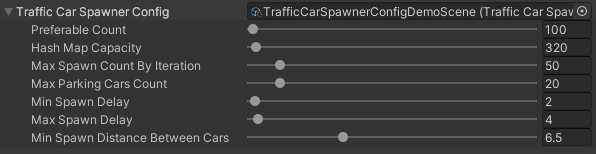
Traffic Car Spawner Config
Traffic Car Settings
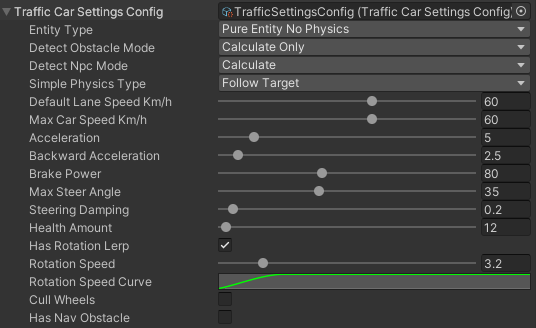
Entity Type
Hybrid entity simple physics : hybrid entities moved by the simple physical system (description).
Hybrid entity custom physics : hybrid entities moved by the custom physical system (description)
Pure entity custom physics : pure entities moved by the custom physical system (description)
Pure entity simple physics : pure entities moved by the simple physical system (description).
Pure entity no physics : pure entities that moved by transform system without physics (description).
Note
Depending on which entity type such a preset is converted.
Detect Obstacle Mode
Detect Npc Mode
Disabled
Calculate : mathematically calculates the npc.
Raycast : detect obstacle by raycast (npc should have PhysicsShape component).
Simple Physics Movement Type
Car input : simple emulation of real movement based on traffic input.
Follow target : the vehicle rotation is set based on the destination direction.
Common Settings
Simple Vehicle Settings
- Has rotation lerp :
Rotation speed : vehicle rotation speed.
Rotation speed curve : curve on the dependence of the speed of the car on its speed.
Custom Vehicle Settings
Other Settings
Traffic Nav Config
Config distance to target nodes and traffic light handlers.

- Out of path resolve method: resolving method in case the car is out of the path.
Disabled : no actions.
Switch node : switching to the next waypoint.
Backward : car will try to reach the missed waypoint by reversing.
Cull : car will be culled.

- Out of path resolve method [enabled]:
Min distance to out of path : minimum distance from the missed waypoint to the car.
Max distance to out of path : maximum distance from the missed waypoint to the car.
Traffic Obstacle Config
Config to calculate obstacles on the path.
- Obstacle intersect calculation method: method of calculating the intersection of the vehicle and the intersect point.
Distance : distance between car and intersect point.
Bounds : calculate intersect point that inside the car bounds.
Note
- How to calculate the parameters relative to the size of the vehicle hull:
Select the mesh renderer of the vehicle hull and insert to the Target Car Mesh field.
Press Recalculate button.
On the traffic test scene, calibrate the parameters depending on your needs.
Parameter visualization:
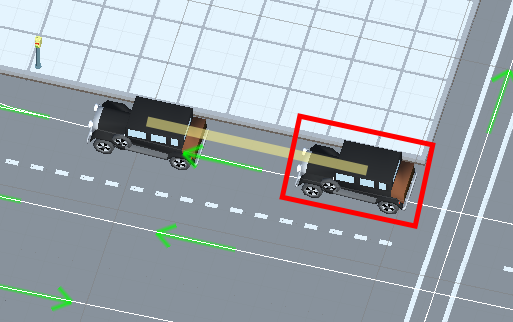
Obstacle distance example.
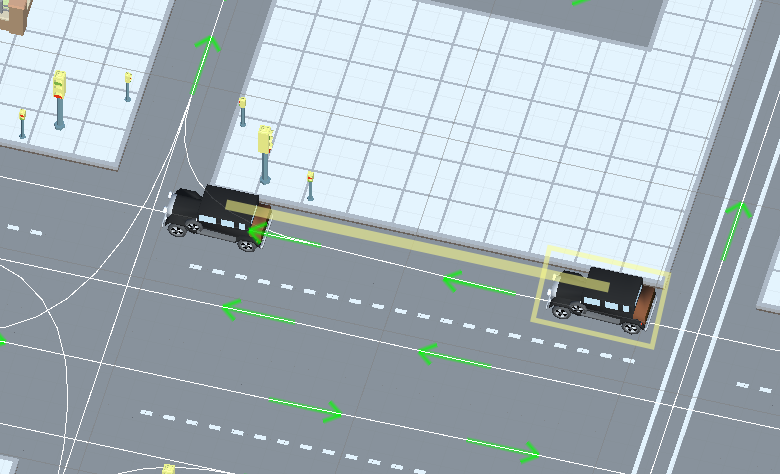
Approach distance example.
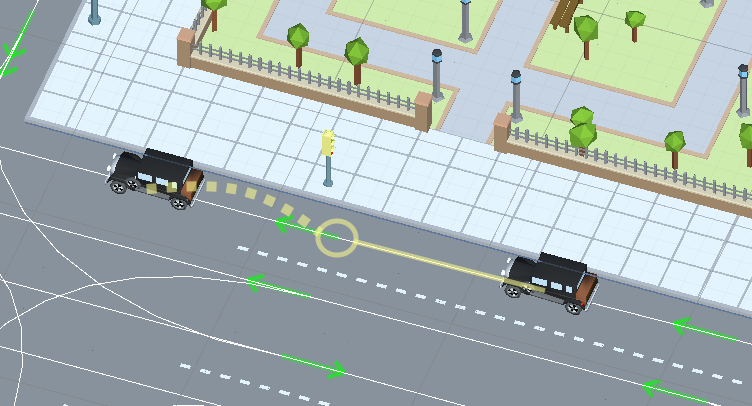
Min distance to check next ConnectedPath example.
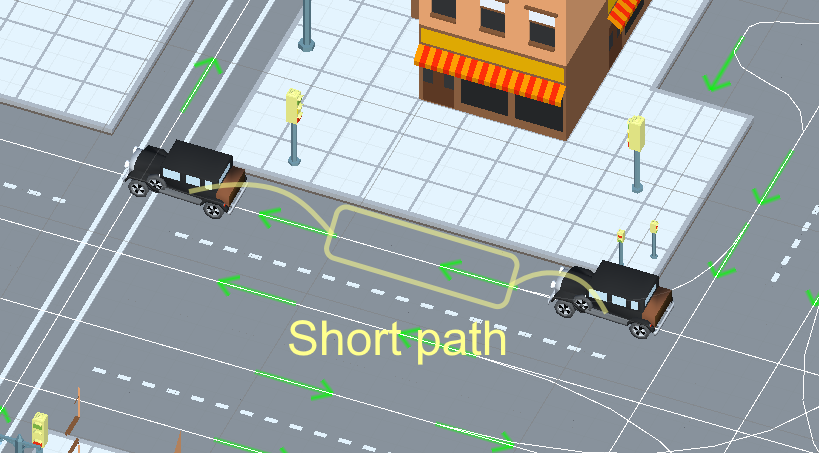
Short path example.
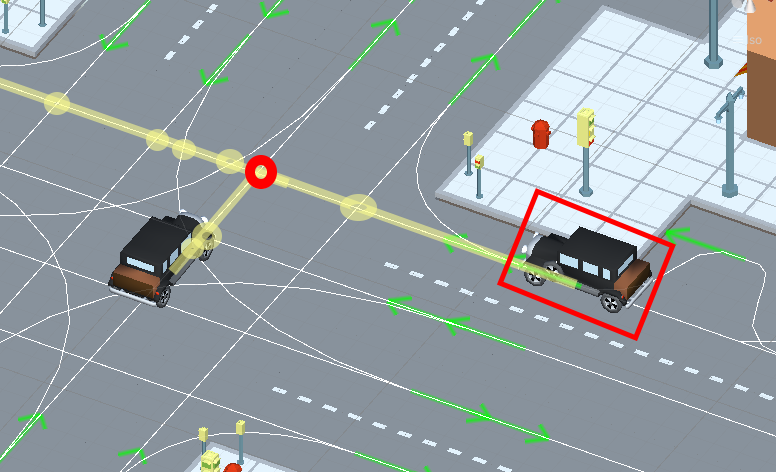
Calculate distance to intersect example.
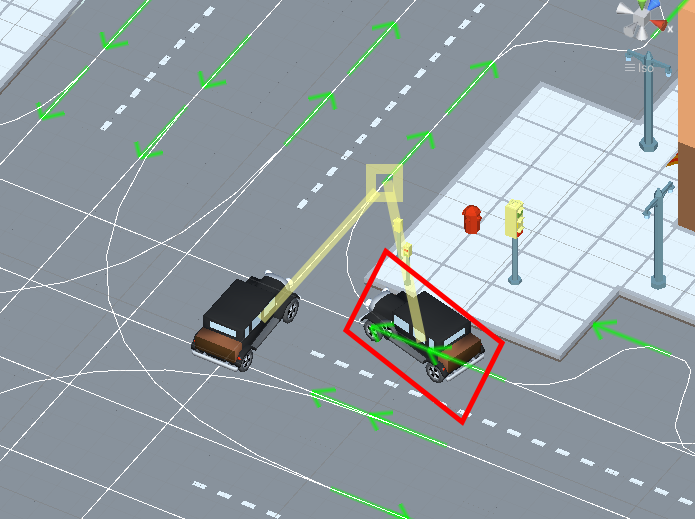
Calculate distance to intersect same target example.
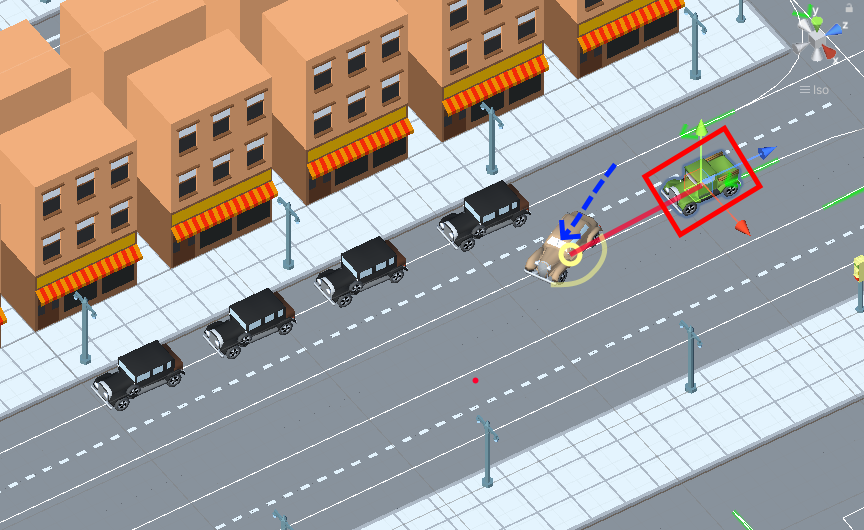
Change lane close distance to point example.
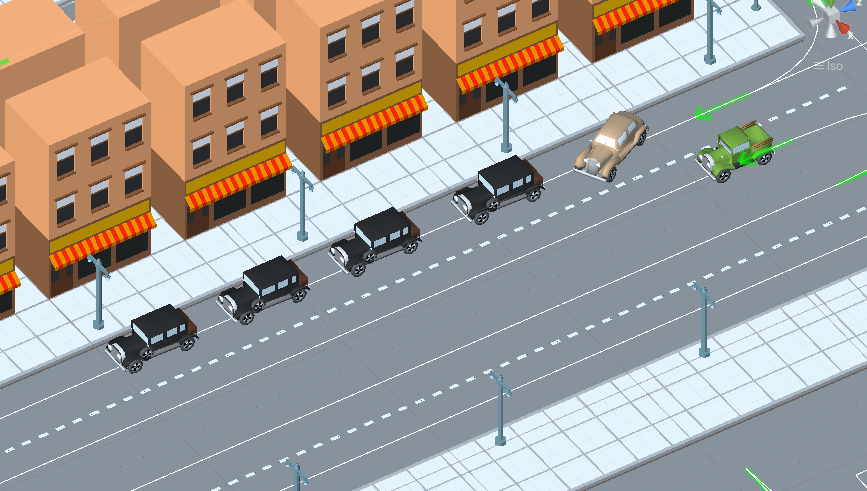
Maximum distance to the obstacle in the target change lane example.
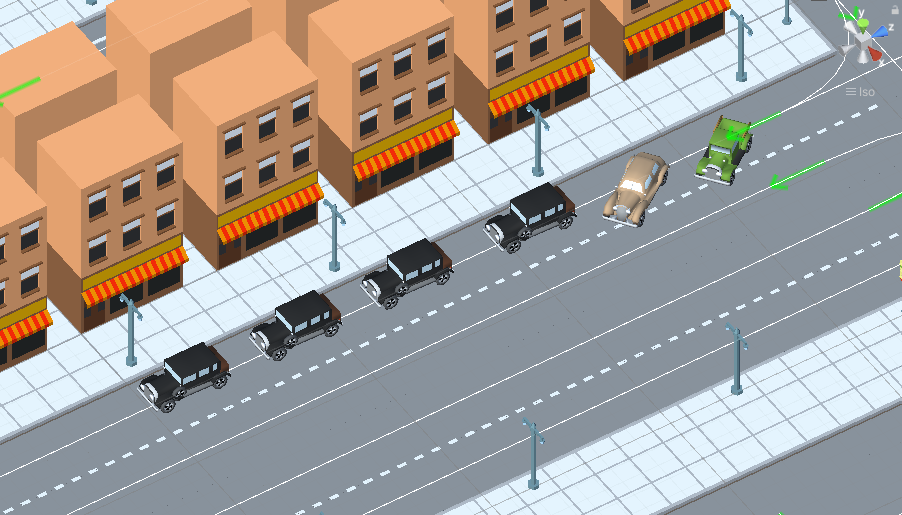
Short path example.
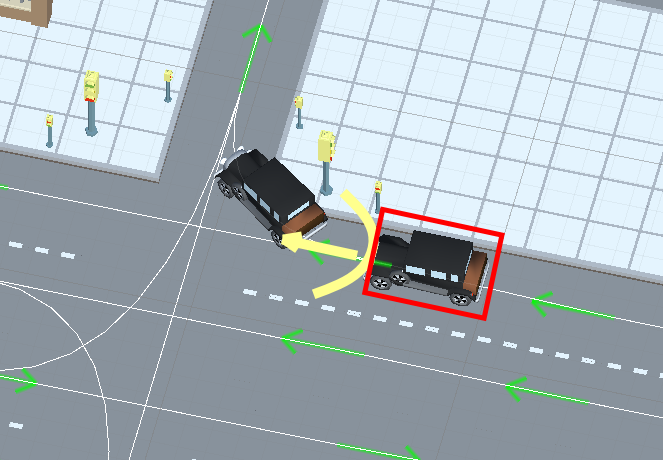
Same direction example.
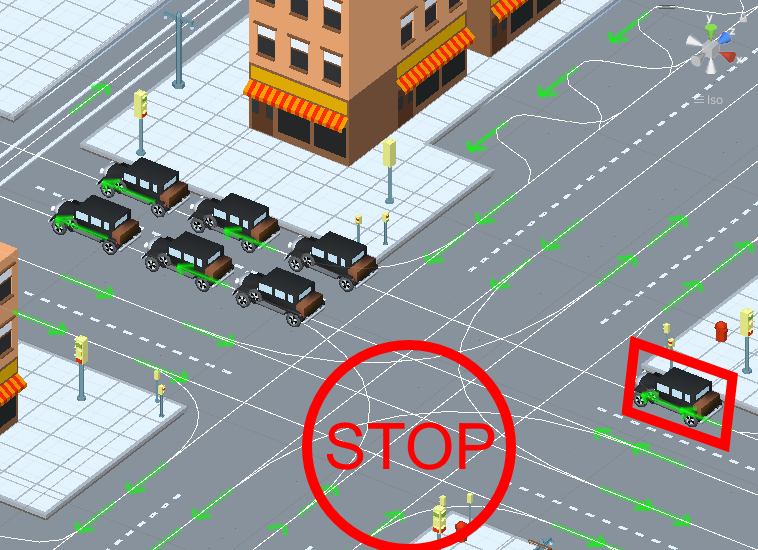
Avoid crossroad jam example.
Traffic Approach Config
Config of approaching obstacles and lights (test scene).
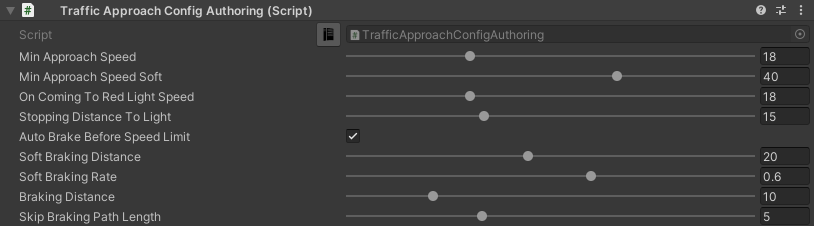
Auto brake before speed limit
The car automatically brakes to the new speed limit at the selected distance.
Note
Approach distance set in Traffic obstacle config.
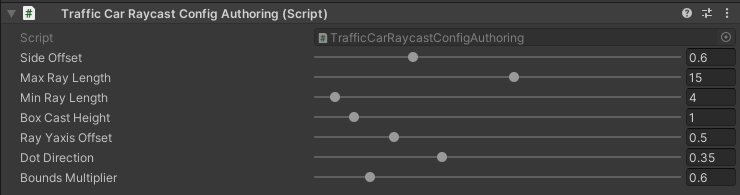
Traffic Raycast Config
Traffic raycast Config (TrafficDetectObstacleMode raycast or hybrid should be enabled) (debug example) (more info).
Traffic Change Lane Config
Config for automatic calculation of lane change by traffic (works for paths with the Straight road road type only) (test scene).
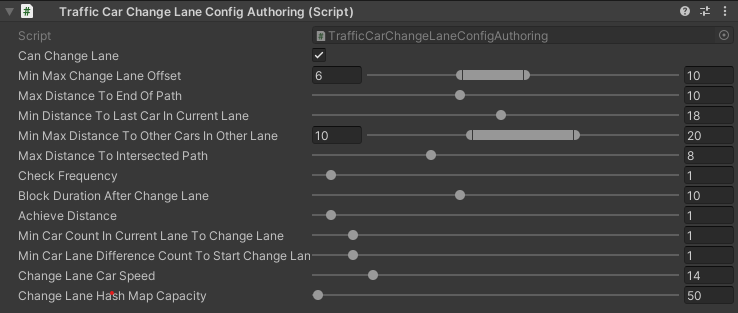
Parameter visualization:
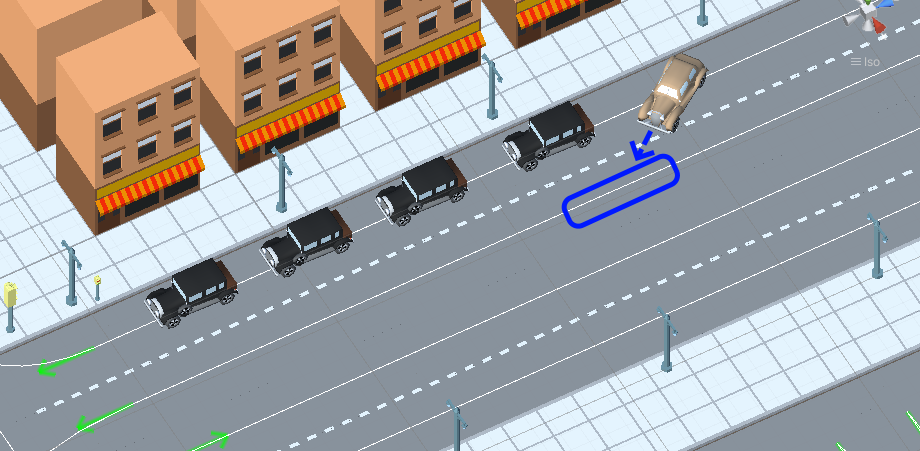
Min/max change lane offset example.
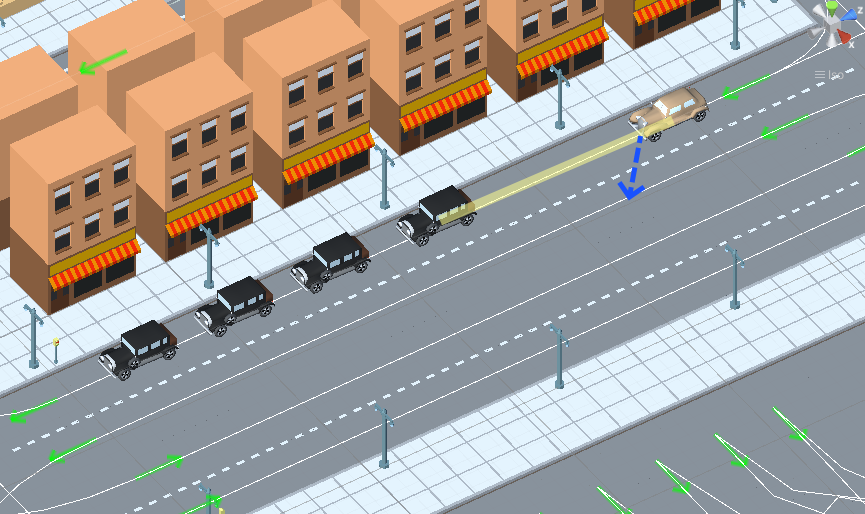
Min distance to last car in current lane example.
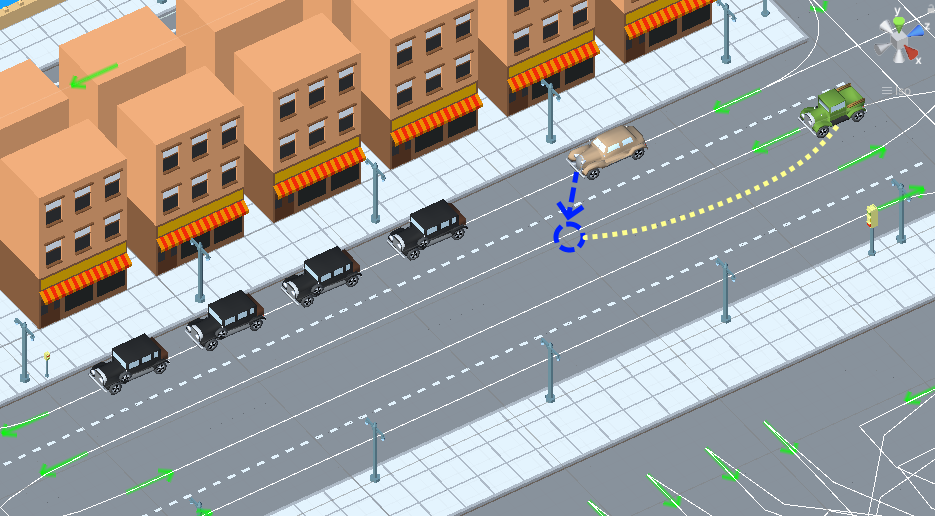
Min distance to other cars in other lane example.
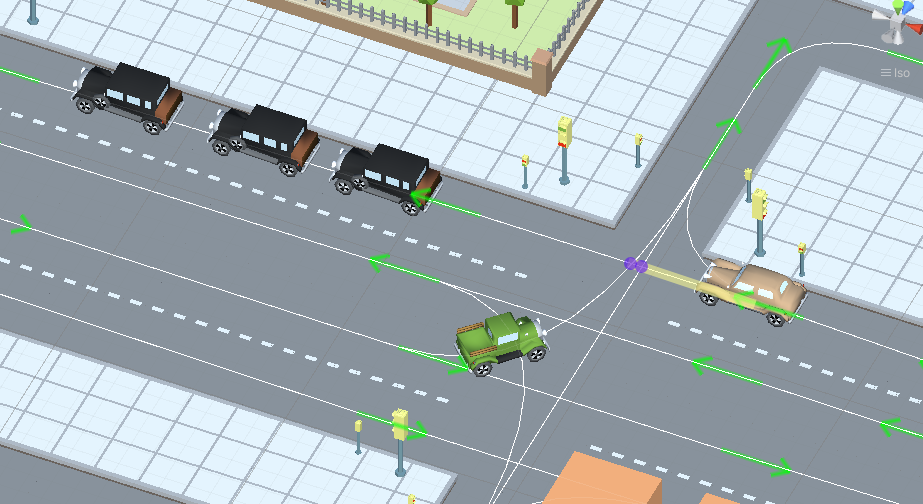
Min distance to intersected path example.
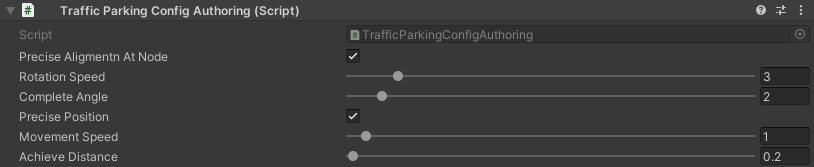
Traffic Parking Config
Config for parking cars (test scene).
Note
Read more about parking states.
Traffic Antistuck Config
Config to culling car in case of stuckness.

Traffic Horn Config
Config to sound random horns when an obstacle is detected. It can be disabled (here).

Traffic Avoidance Config
Config of traffic avoidance.

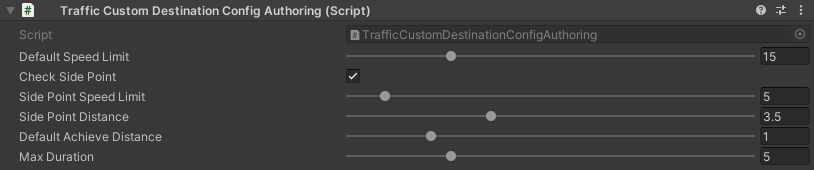
Traffic Custom Destination Config
Config for custom destination of the vehicles. Also used by traffic avoidance.
Traffic Rail Config
Config for rail movement of the vehicles.

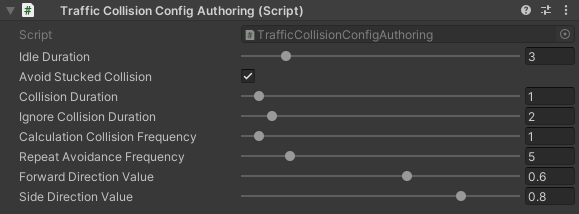
Traffic Collision Config
The config is used in a two-car collision.